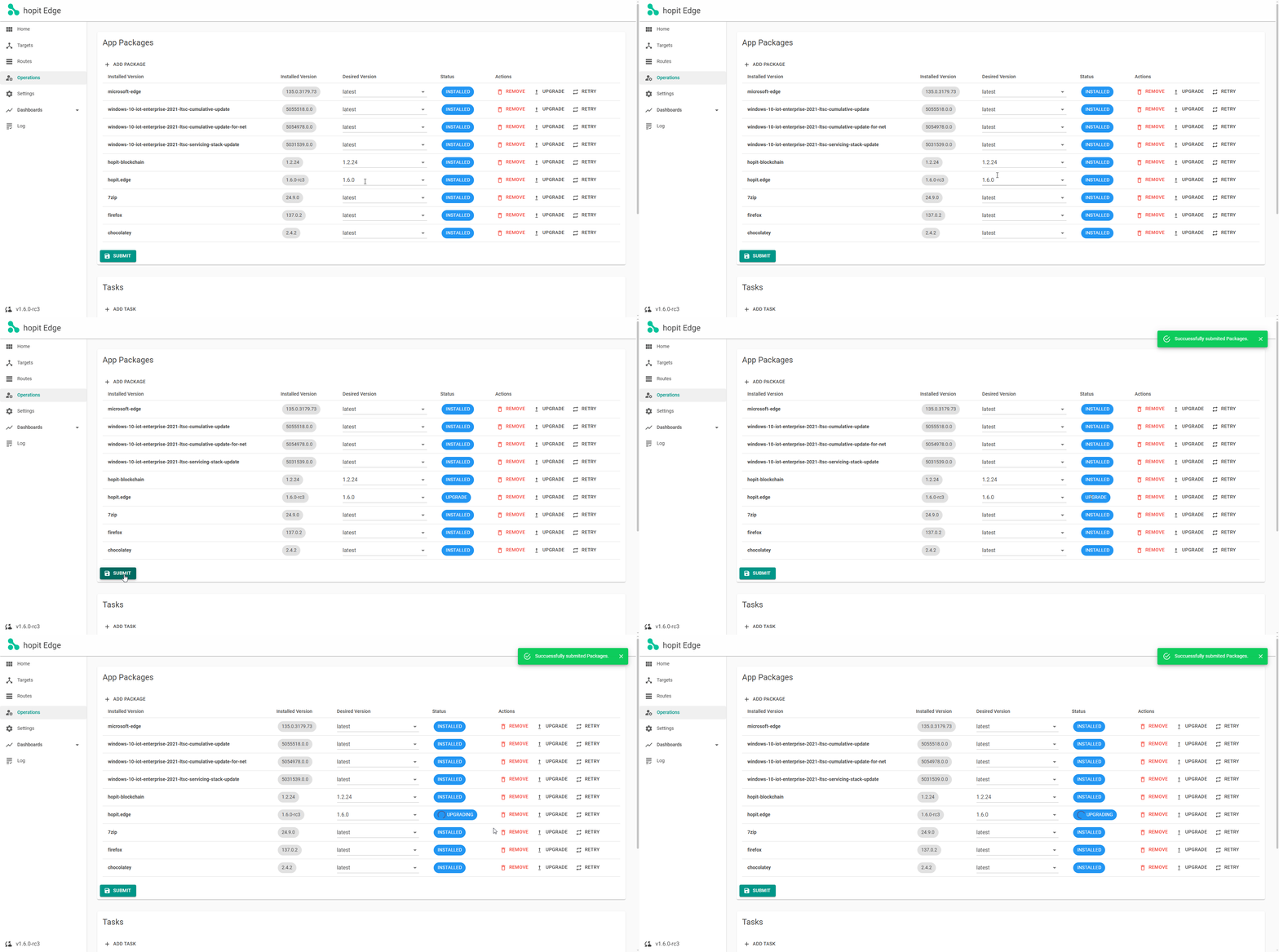
Upgrade hopit
To upgrade hopit Edge, navigate to the Operations page. In the App Packages section, you'll see the currently installed hopit version.
You need the Owner, Contributor, or granular hopit.Edge.Contribute.Operations role to start a package operation.
- Enter the desired version number, or leave Desired Version blank to install the latest stable version. Entering a version lower than the installed version performs a downgrade.
- Click the Upgrade action.
This will update the status to UPGRADE.
After submitting:
- The status will change to UPGRADING while the specified version is downloaded in the background.
- Once the download is complete, the new version will be installed automatically.
- After a brief interruption, hopit Edge will restart with the status INSTALLED, indicating that the upgrade was successful.
- If the operation fails, the status changes to FAILED. Open the Log page to inspect the Updater progress and error details.
https://localhost:5050/Operations